Adding Departments
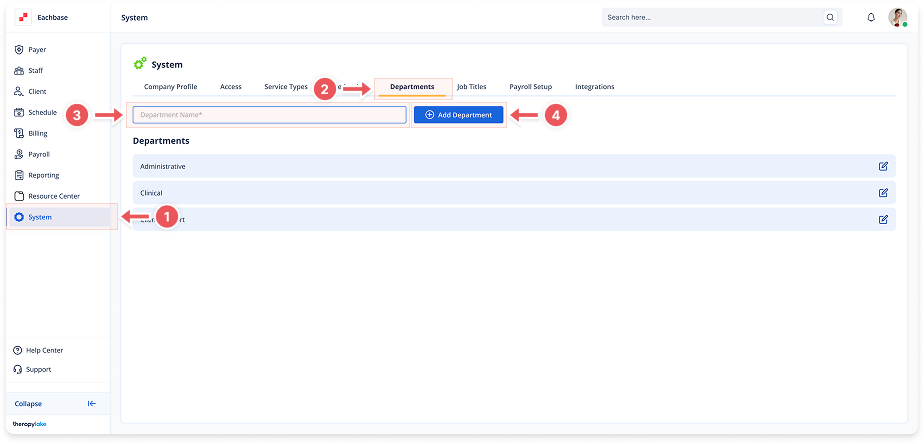
1. Navigate to System
-
Go to the left pane and click > System.
2. Navigate to Departments Tab
-
Click on the Departments tab at the top of the page.
3. Enter Department Name
-
Type the department name in the Department Name field.
4. Add Department
-
Click the blue + Add Department button at the top right.
-
The new department will appear in the Departments list.