Viewing Invoice Change History
1. Navigate to the Invoices Section
-
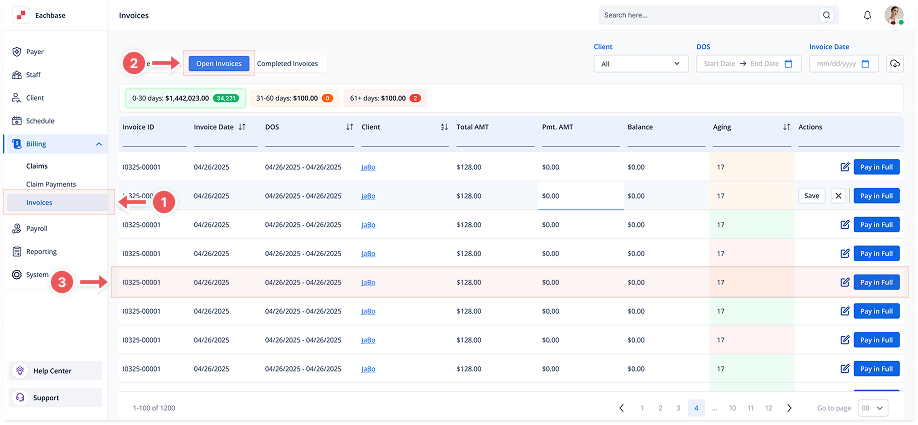
Go to the Billing section in the left pane and click on Invoices.
2. Click on the Open Invoices Tab
-
At the top of the page, click the Open Invoices tab to view the list of Open Invoices.
3. Open the Invoice Details
-
Click anywhere on the invoice line to open its details.
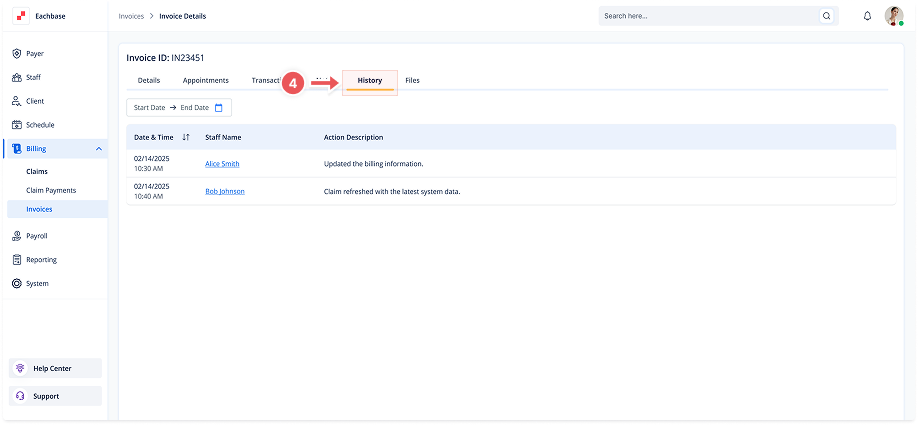
4. Go to the History Tab
-
Once inside the invoice details, select the History tab.
5. Review Changes
-
In the History tab, you will see a list of all the changes made to the invoice, including the Date & Time, Staff Name, and a description of each action performed, such as updating payment amounts, changing statuses, or creating the invoice.