Canceling a Non-Service Appointment
1. Navigate to the Schedule Section
-
Click on "Schedule" from the left-side navigation panel to view the list of appointments.
2. Select the Appointment
-
Locate the staff appointment you wish to cancel from the list.
3. Open the Appointment Details
-
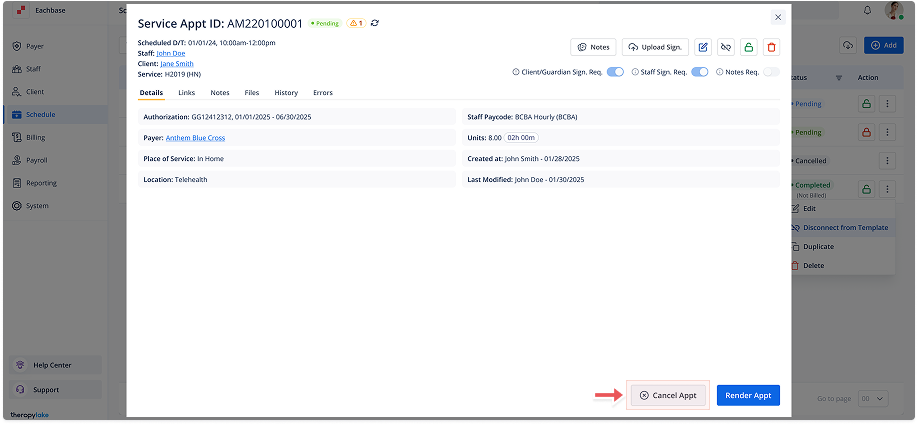
Click on the appointment row to open the appointment details modal.
4. Initiate Cancellation
-
In the modal, click the Cancel Appointment button at the bottom right.
5. Confirm Cancellation
-
A modal titled Cancel Appointment? will appear.
-
Select reason for appointment cancellation
-
Click Cancel Appointment to confirm the cancellation.
-
6. Review Changes
-
The appointment will be marked as canceled, and its status will update in the schedule.