Creating a Company Profile
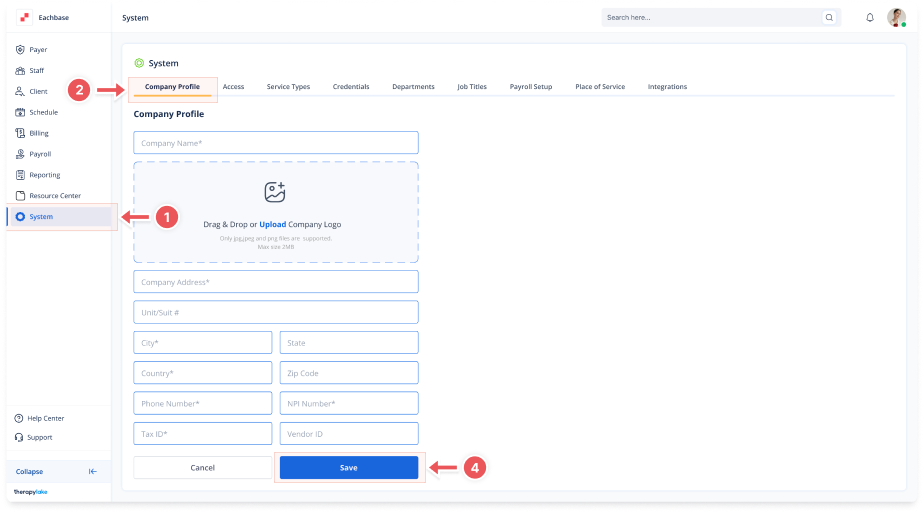
1. Navigate to System
-
Go to the left pane and click > System.
2. Select the Company Profile Tab
-
Click on the > Company Profile tab to open the profile settings.
3. Enter Company Information
-
Company Name: Type in the company's name.
-
Company Logo: Drag and drop or click to choose a company logo file.
-
Company Address: Enter the company's physical address.
-
Phone Number: Enter the company's primary contact number.
-
NPI Number: Enter the National Provider Identifier (NPI) number.
-
Tax ID: Enter the company's tax identification number.
-
Vendor ID: Enter the company's Vendor ID.
4. Save the Company Profile
-
Scroll down and click Save to create the company profile.