

Disconnect Appointment from Group
1. Navigate to the Schedule Section
-
Click on "Schedule" from the left-side navigation panel to view the list of appointments.
2. Click on the Disconnect Icon
-
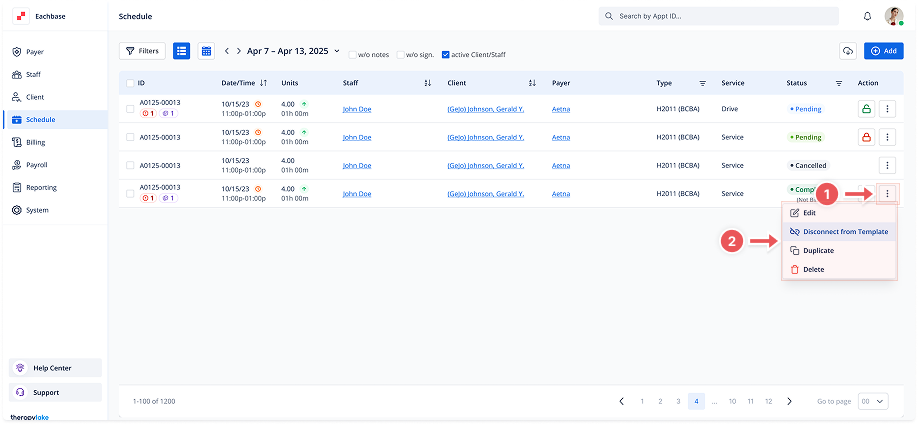
In the Actions column, locate the Disconnect from Group button (Unlink icon) for the desired appointment.
-
A modal titled Disconnect Appointment from Group will appear.
3. Confirm Disconnection
-
Review the message in the modal. Click Disconnect to proceed. This will remove the appointment from its recurring template, making it independent. Once disconnected, the appointment cannot be reconnected to its original template.
4. Observe Changes
-
After disconnection, the Unlink icon will be replaced by the Recur Event icon. The appointment will no longer follow the recurring pattern. You can use the Recur Event button to create a new series of recurring appointments, but it will be different from the original template.