Viewing Invoiceable Appointments
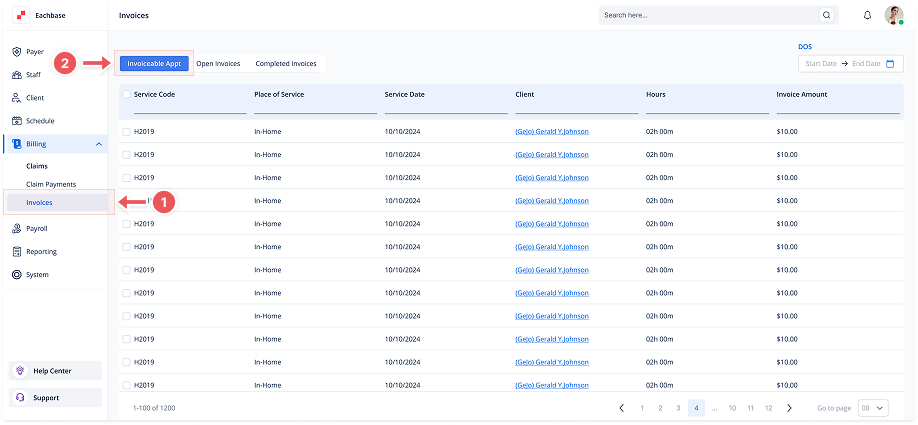
1. Navigate to the Invoices Section
-
Go to the Billing section in the left pane and click on Invoices.
2. Click on the Invoiceable APPT Tab
-
At the top of the page, click the Invoiceable APPT tab to view the list of Invoiceable Appointments.
3. View the Appointment List
-
Appointments will be listed with details such as Service Code, Place of Service, Service Date, Client, Hours, and Invoice Amount.