Downloading the 1500 Form for a Pending Claim
To download the 1500 form for a specific pending claim, follow these steps:
1. Navigate to Pending Claims
-
Go to the left sidebar and click on Billing > Claims > Pending Claims.
2. Select a Claim
-
Click on the desired claim from the list to open its details.
3. Click on the Download Icon
-
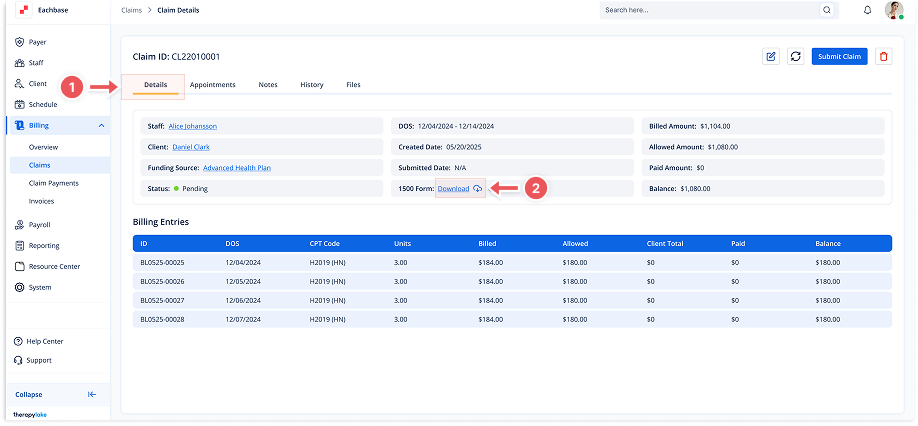
In the Details tab of the claim, click on the Download icon next to the "1500 Form" label.
4. Choose the File Format
-
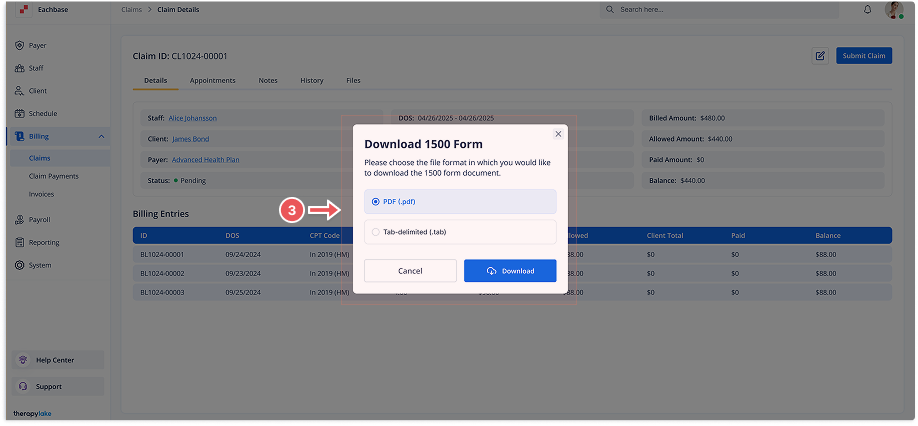
A modal titled Download 1500 Form will appear. You will see two file format options:
-
PDF (.pdf)
-
Tab-delimited (.tab)
-
-
Select your preferred format.
5. Download the 1500 Form
-
Click the Download button. The form will be downloaded in the selected format, and you can use it for submission or review purposes.