Viewing the Forms List
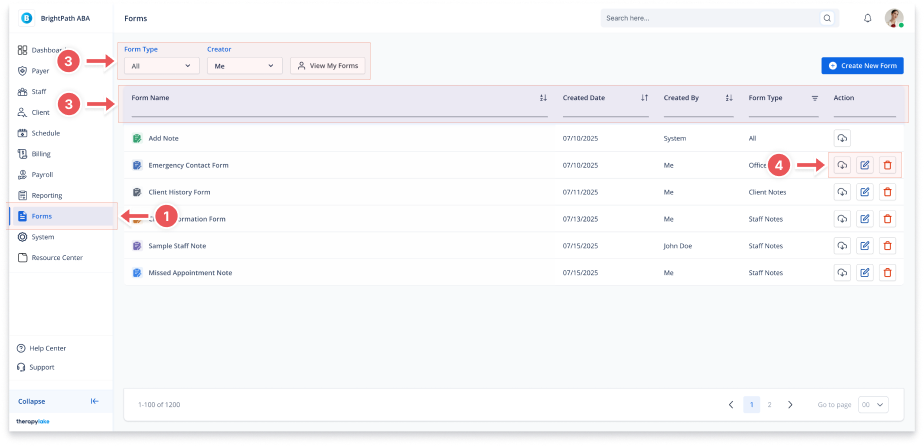
1. Navigate to Forms
-
Go to the left-hand navigation panel and click Forms.
2. Explore the Forms Table
-
The Forms table will display all available forms in the system.
-
Each row shows the Form Name, Created Date, Created By, and Form Type.
-
Use the pagination controls at the bottom to navigate through multiple pages of forms.
3. Use Filters and Search
-
Use the Form Type and Creator dropdowns to filter the list.
-
Click View My Forms to quickly see only the forms you've created.
-
Use the search bar to find forms by name.
4. Take Actions on Forms
-
Use the icons in the Action column to edit, download, or delete a form.