

Adding Mileage Compensation
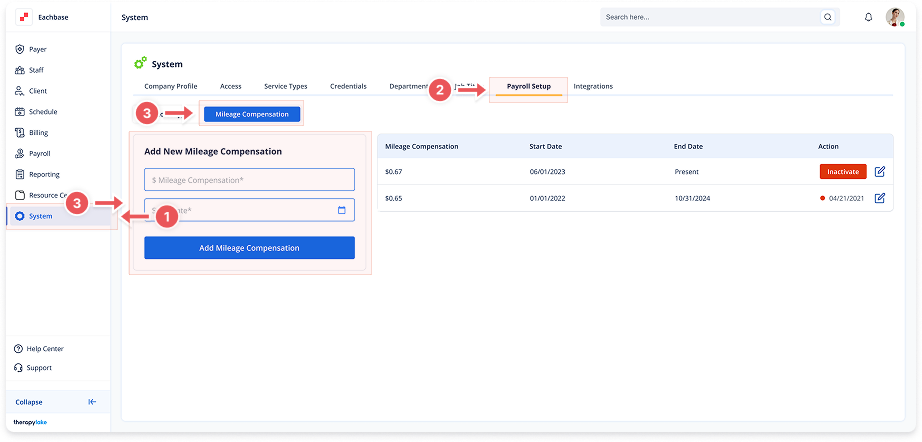
1. Navigate to System
-
Go to the left pane and click > System.
2. Navigate to Payroll Setup Tab
-
Click on the Payroll Setup tab at the top of the page.
3. Select Mileage Compensation Tab
-
Ensure the Mileage Compensation tab is selected on the left side.
4. Enter Compensation Details
-
$ Mileage Compensation: Enter the amount per mile
-
Start Date: Enter the effective date (only one active rate allowed)
5. Save Mileage Rate
-
Click the blue Add Mileage Compensation button.
-
The new rate will appear in the right table.
🔔 Important Notes
If there is already an active mileage compensation, you must deactivate it before adding a new one.