Viewing Completed Invoices
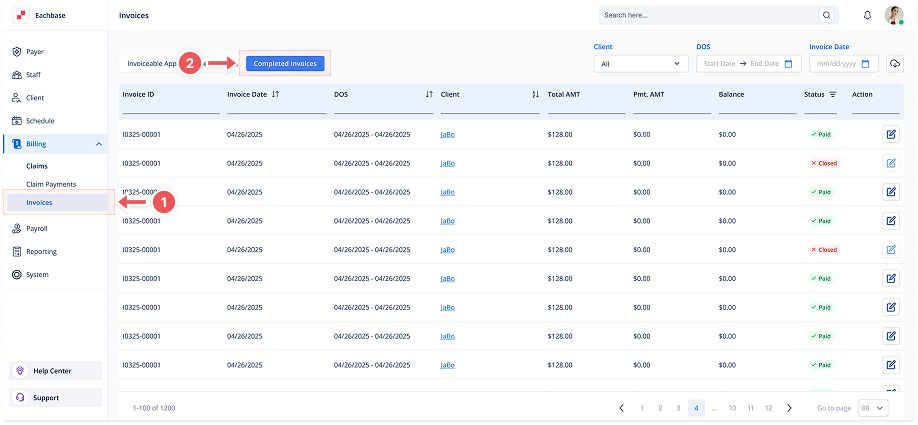
1. Navigate to the Invoices Section
-
Go to the Billing section in the left pane and click on Invoices.
2. Click on the Completed Invoices Tab
-
At the top of the page, click the Completed Invoices tab to view the list of Completed Invoices.
3. View the Invoice List
-
Invoices will be listed with details such as:
-
Invoice ID
-
Invoice Date
-
DOS (Date of Service)
-
Client
-
Total Amount
-
Payment Amount
-
Balance
-
Status (Closed, Paid)
-
4. Filter Invoices (Optional)
-
Use the filters at the top of the page to sort by:
-
Client
-
Date of Service (DOS)
-
Invoice Date
-
-
These filters will help you narrow down the list of invoices to find specific ones.