Activating or Inactivating a Funding Source
1. Access the Payer Section
- Go to the > Payer section in the left panel.
2. Select the Payer
-
Choose the Payer you want to activate or inactivate from the list.
3. Activate or Inactivate the Payer
-
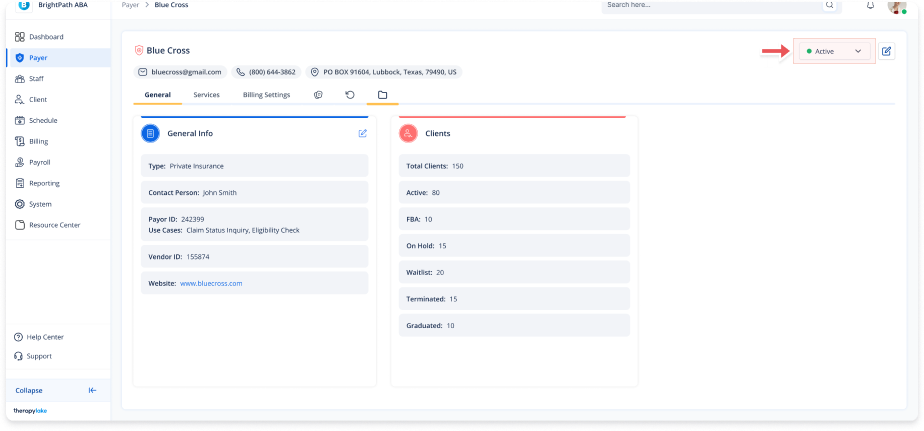
On the top right of the page, you will see a button labeled Active or Inactive, depending on the current state of the Payer.
-
Click on this button and select the desired option to change the status of the Payer.