Editing an Existing Form
1. Navigate to Forms
-
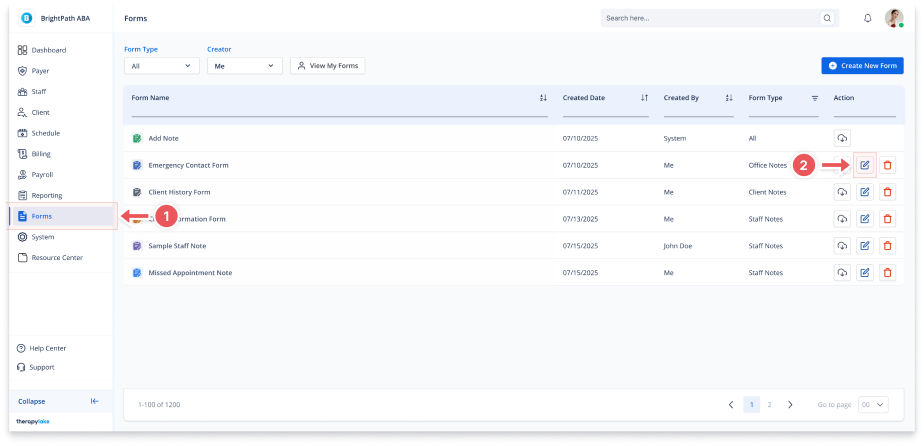
Go to the left-hand navigation panel and click Forms.
2. Click the Edit Icon
-
In the Actions column of the form you want to edit, click the Edit (pencil) icon.
3. Update the Form Details
-
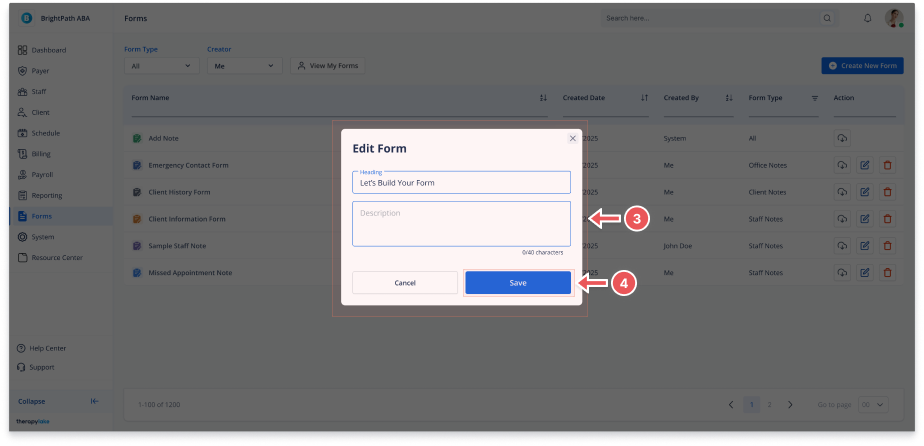
A modal titled "Edit Form" will appear
-
Update the Heading and Description fields as needed
-
A live character count will appear below the Description field
4. Save the Changes
-
Click Save to apply the changes
-
A confirmation toast will appear once the form is successfully updated
-
Click Cancel to discard changes and close the modal