Generating Client Billing Summary Report
1. Navigate to Billing Reports
-
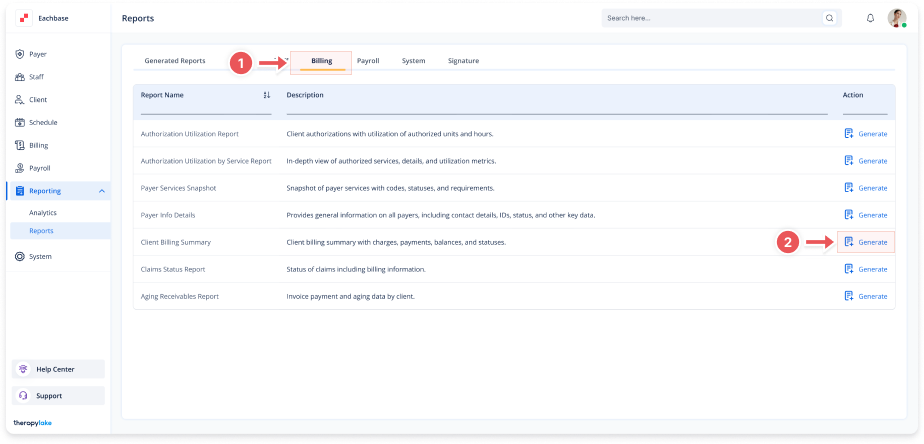
Go to the left sidebar and click on Reporting > Reports > Billing.
2. Select the Report
-
In the screen, locate Client Billing Summary.
-
Click Generate next to the report name.
3. Set Report Parameters
-
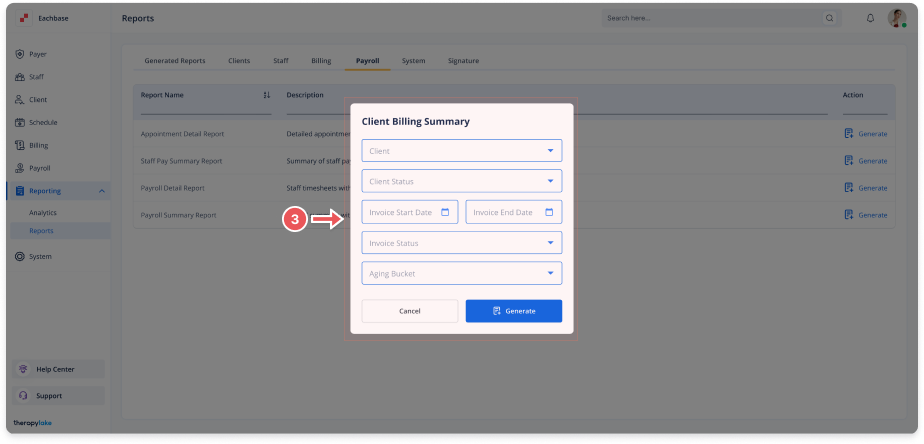
The report modal will display fields including:
-
Client
-
Client Status
-
Invoice Start Date
-
Invoice End Date
-
Invoice Status
-
Aging Bucket
-
4. Generate or Cancel
-
Click Generate to create the report.
-
Click Cancel to exit without generating.
-
The newly generated Report will now appear in the Generating Reports list, ready for Viewing or Downloading.