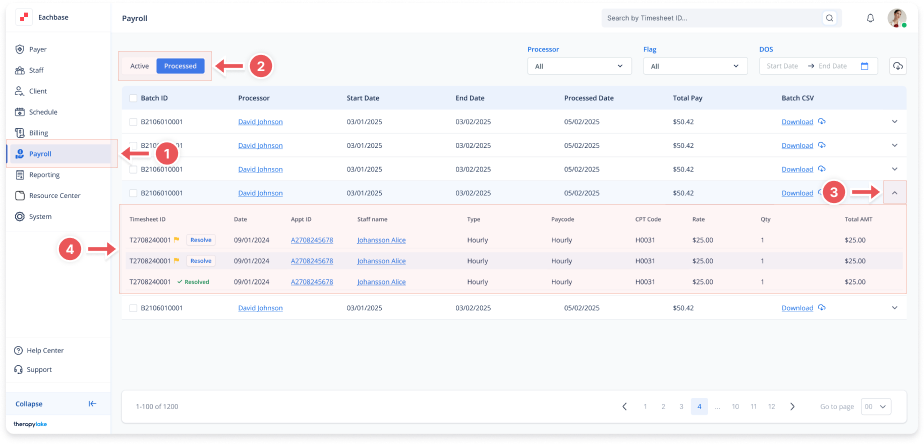
Viewing Timesheets Within a Processed Payroll Batch
1. Navigate to the Payroll Section
-
On the left sidebar, click on Payroll.
2. Select Processed Timesheets
-
Select the Processed tab at the top left to view the list of processed payroll batches.
3. Select a Payroll Batch
-
Locate the batch you want to view and click the arrow icon on the far right of the batch row to expand it.
4. View Processed Timesheets
-
The row will expand, displaying all the timesheets that have been processed within that batch, along with details such as:
-
Timesheet ID
-
Date
-
Appt ID
-
Staff Name
-
Type
-
Paycode
-
CPT Code
-
Rate
-
Total AMT
-