Viewing Files in Active Timesheets
1. Navigate to the Payroll Section
-
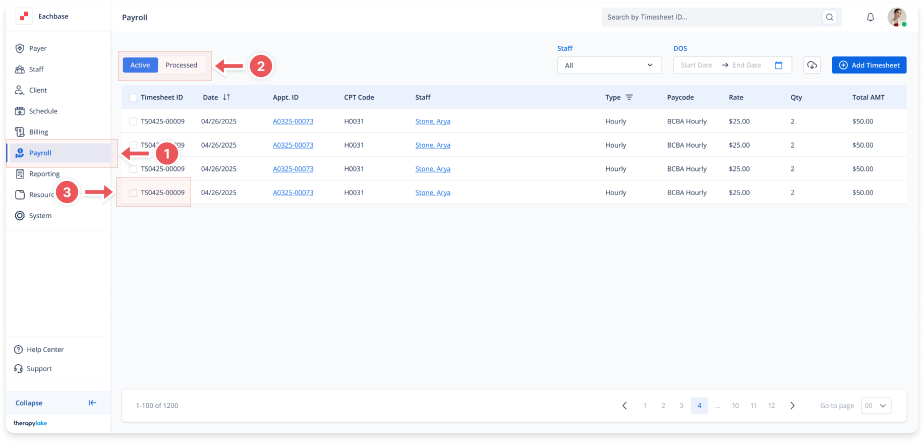
On the left-side panel, click > Payroll.
2. Select Active Timesheets
-
Select the Active tab at the top left.
3. Open the Timesheet
-
In the Active payroll list, click on the timesheet you want to view.
4. Navigate to the Files Tab
-
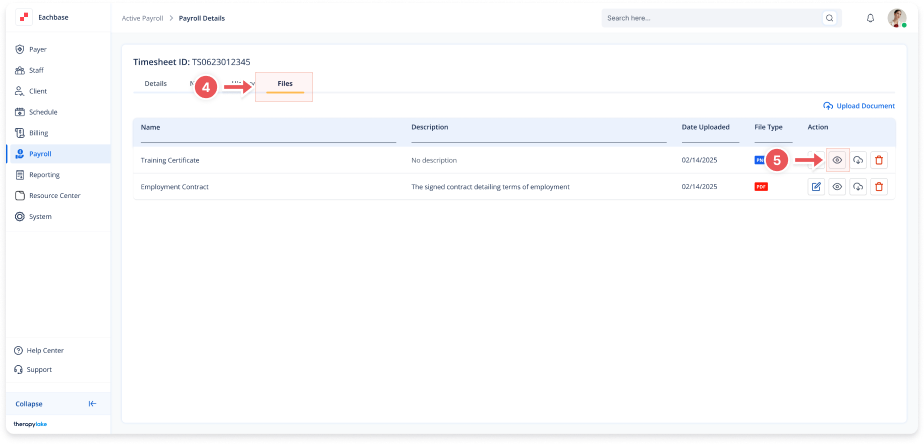
Once inside the timesheet details, click on the Files tab at the top.
5. View Files
-
Click on the eye icon next to the file you want to view.