Downloading the CSV for a Processed Payroll Batch
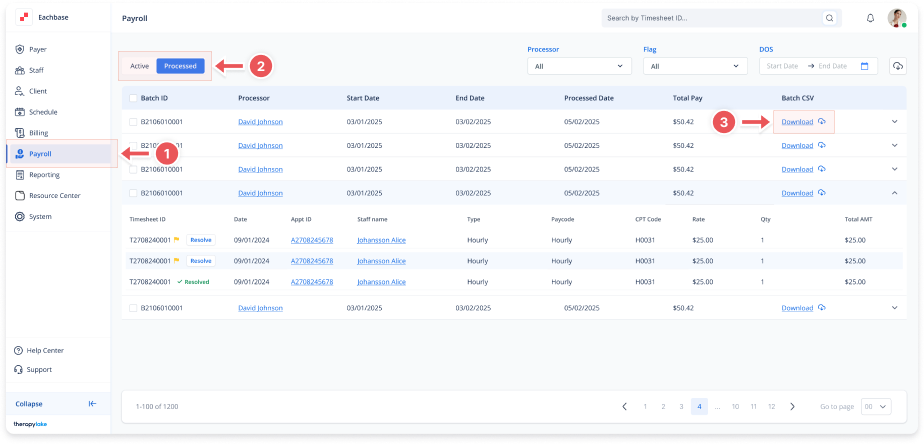
1. Navigate to the Payroll Section
-
On the left sidebar, click on Payroll.
2. Select Processed Timesheets
-
Select the Processed tab at the top left to view the list of processed payroll batches.
3. Locate the Payroll Batch
-
Find the specific batch you want to download the CSV for.
4. Download CSV for the Batch
-
In the Batch CSV column, click the Download link next to the batch ID.
-
This will immediately download the processed payroll timesheets for that specific batch as a CSV file to your local device.