Viewing Session Notes
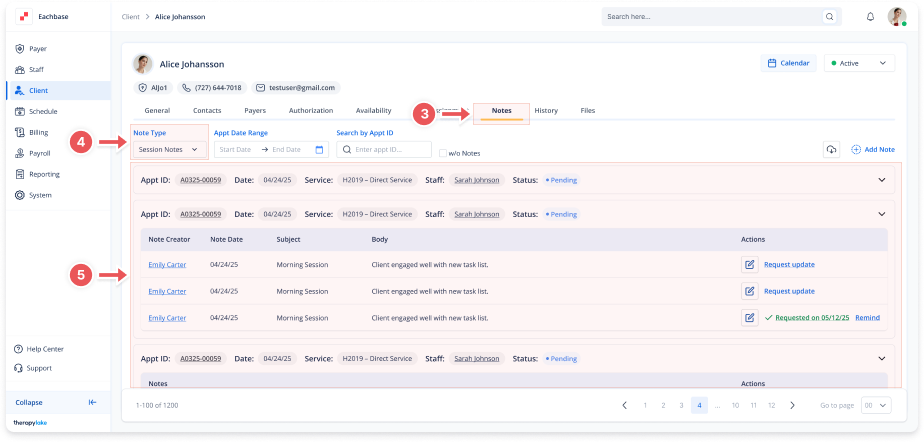
1. Access the Client Section
-
Go to the > Client section in the left panel.
2. Select the Client
-
Choose the client whose session notes you want to view.
3. Navigate to the Notes Tab
-
Click on the Notes tab at the top of the client's page.
4. Select the Note Type
-
Set the Note Type dropdown to Session Notes
5. Browse Session Notes
-
Session notes will appear grouped under each appointment. You can view details like appointment date, staff, service, subject, and note body.