

Viewing Client Notes
1. Access the Client Section
-
Go to the > Client section in the left panel.
2. Select the Client
-
Choose the client whose notes you want to view.
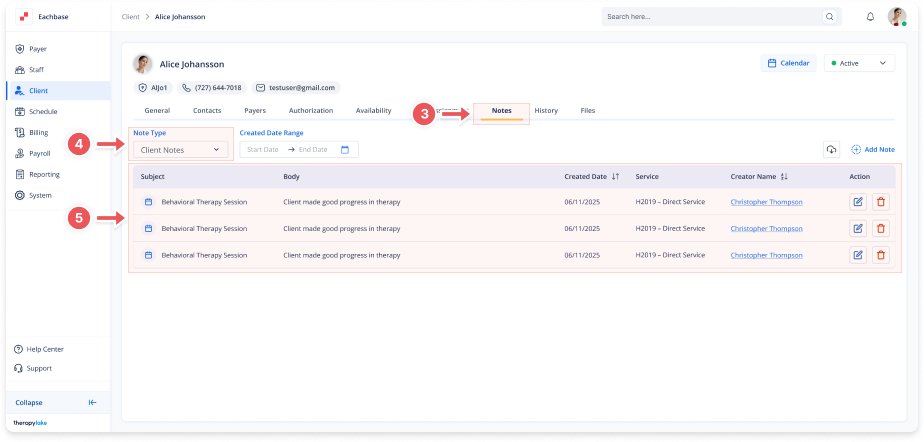
3. Navigate to the Notes Tab
-
Click on the Notes tab at the top of the client's page.
4. Select the Note Type
-
Set the Note Type dropdown to Client Notes
5. View Notes
-
The notes table displays:
-
Subject
-
Body content
-
Created Date
-
Associated Service
-
Creator Name
-
6. Hover to View Full Text
- If the Body content is cut off, hover over it to see the full text in a tooltip.