Viewing Change History on an Active Timesheet
1. Navigate to the Payroll Section
-
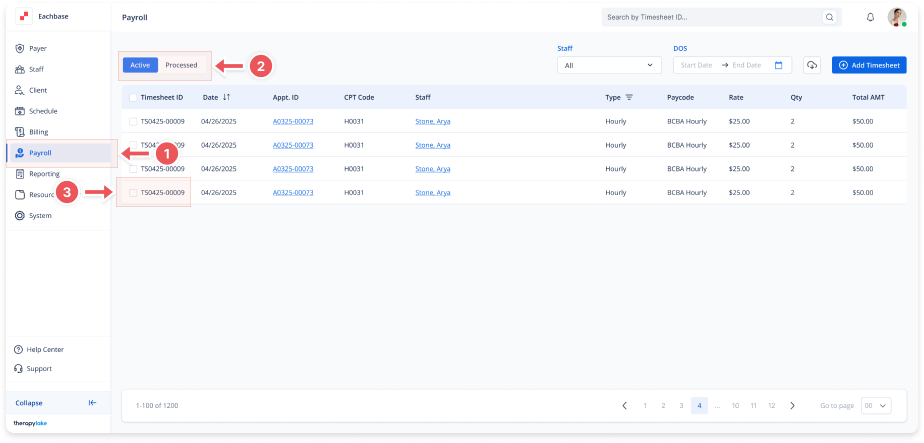
On the left-side panel, click > Payroll.
2. Select Active Timesheets
-
Select the Active tab at the top left.
3. Select the Timesheet
-
In the Active Timesheets list, click on the Timesheet ID for which you want to view the Change History.
4. View the Change History
-
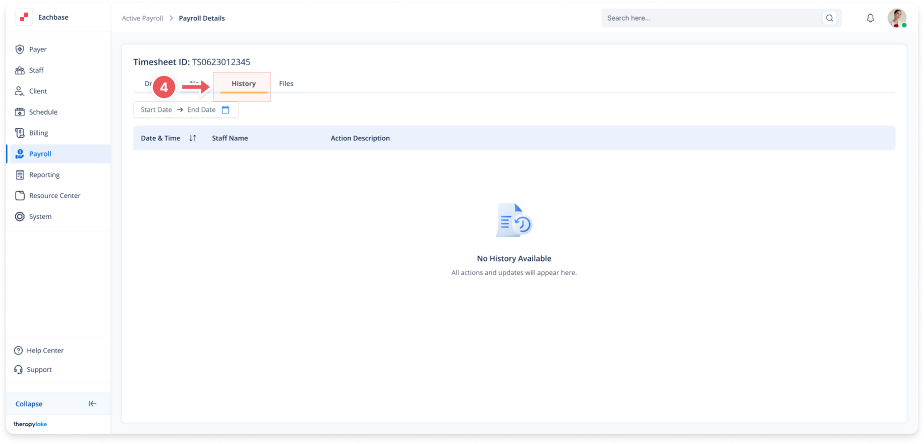
In the timesheet details window, click on the History tab.
-
This will display the history of all actions and updates made to the timesheet.