Processing Payroll
1. Navigate to the Payroll Section
-
On the left-side panel, click Payroll.
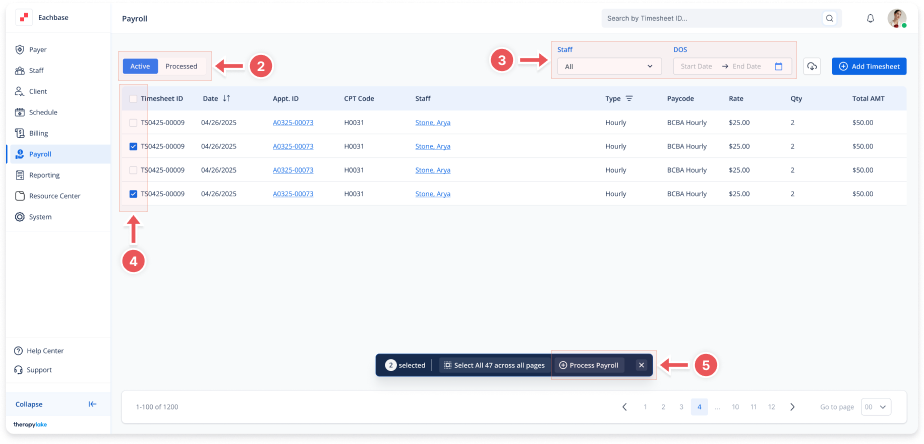
2. Select Active Timesheets
-
Select the Active tab at the top left.
3. Select Staff and Date Range
-
Use the Staff dropdown to filter the staff members you want to include.
-
Set the Date Range by selecting the start and end dates (must be Sundays) to highlight the appropriate weeks for processing.
4. Select Timesheets
-
Select the timesheets from the list that you want to process.
5. Click Process Payroll
-
Once you have selected the timesheets, click the Process Payroll button in the action bar.
6. View Processed Timesheets
-
After processing, go to the Processed section.
-
Click on the batch you just processed to see all timesheets associated with that payroll batch.