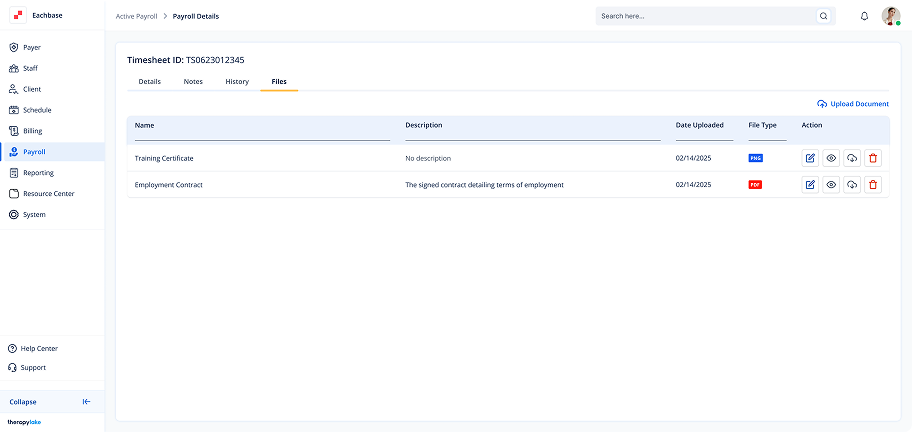
Editing Files in Active Timesheets
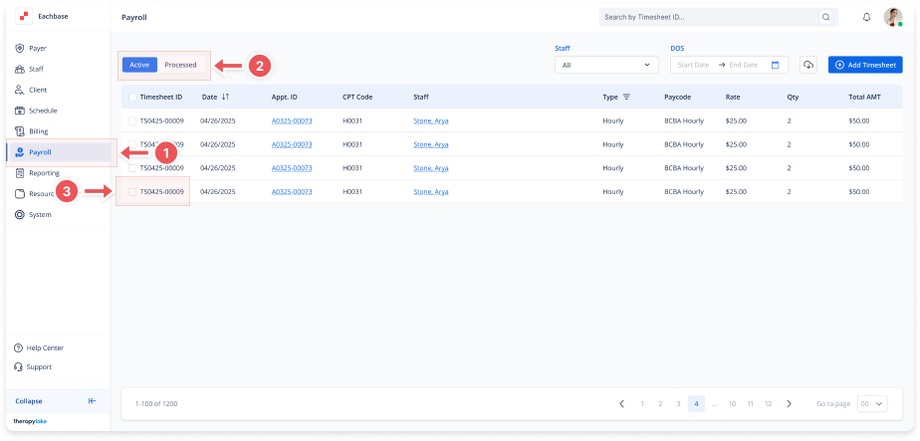
1. Navigate to the Payroll Section
-
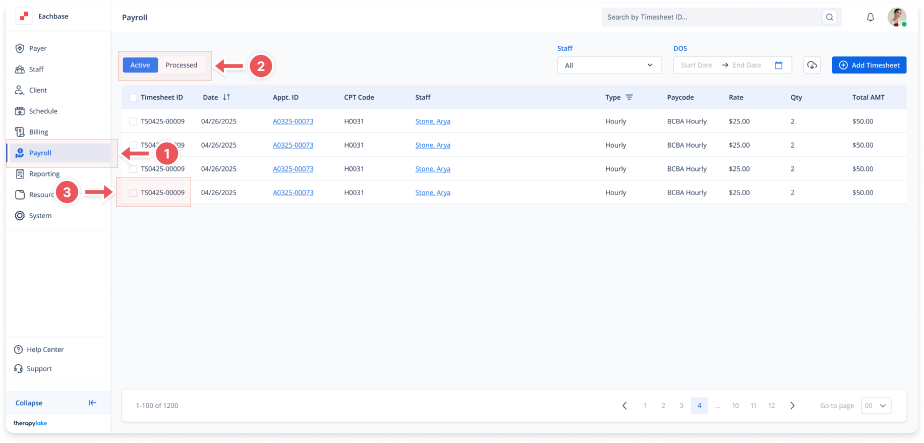
On the left-side panel, click > Payroll.
2. Select Active Timesheets
-
Select the Active tab at the top left.
3. Open the Timesheet
-
Find and click on the timesheet you want to edit the file for.
 4. Go to the Files Tab
-
Inside the timesheet details, click on the Files tab.
5. Edit a File
-
Locate the file you want to edit and click on the blue pencil icon next to it.
-
Modify the Document Name or Description fields as needed.
6. Save Changes
-
After editing, click Save to apply the changes to the file.