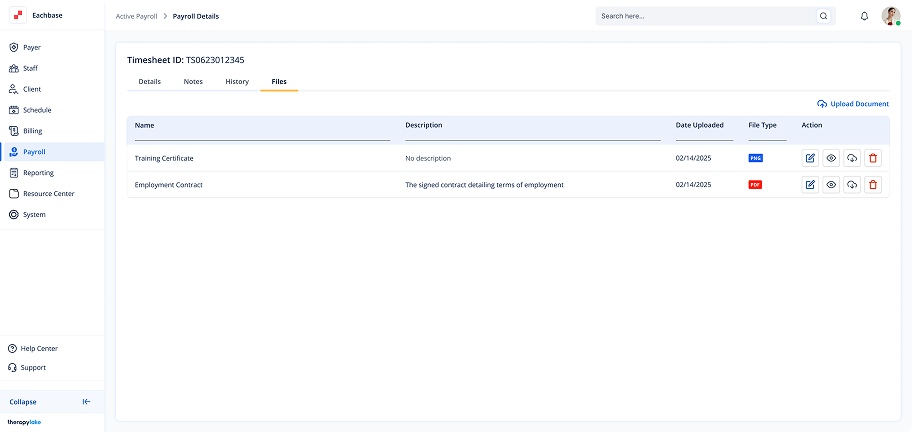
Adding Files in Active Timesheets
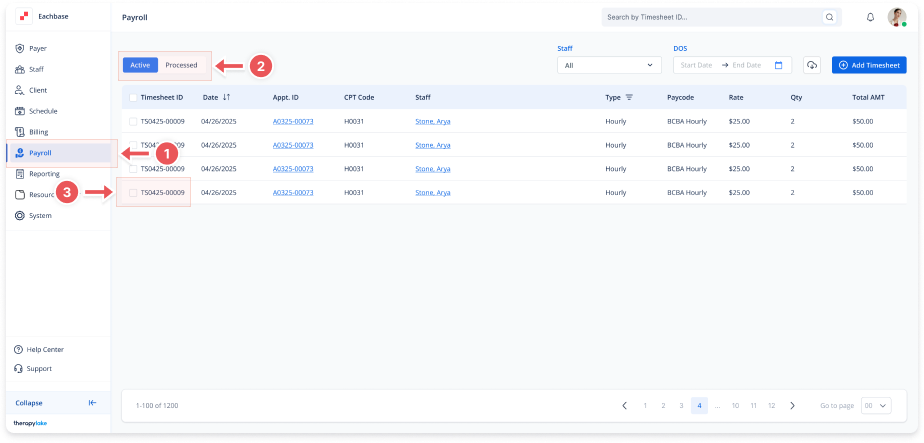
1. Navigate to the Payroll Section
-
On the left-side panel, click > Payroll.
2. Select Active Timesheets
-
Select the Active tab at the top left.
3. Open the Timesheet
-
Click on the timesheet for which you want to add a new file.
4. Go to the Files Tab
-
Inside the timesheet details, click on the Files tab.
5. Upload a New File
-
Click the Upload Document button located in the top-right corner of the Files tab.
6. Fill in File Details
-
Select the file to upload from your device.
-
Provide a Document Name and a Description for the file.
7. Submit the File
-
Once everything is filled in, click Upload to add the file to the timesheet.