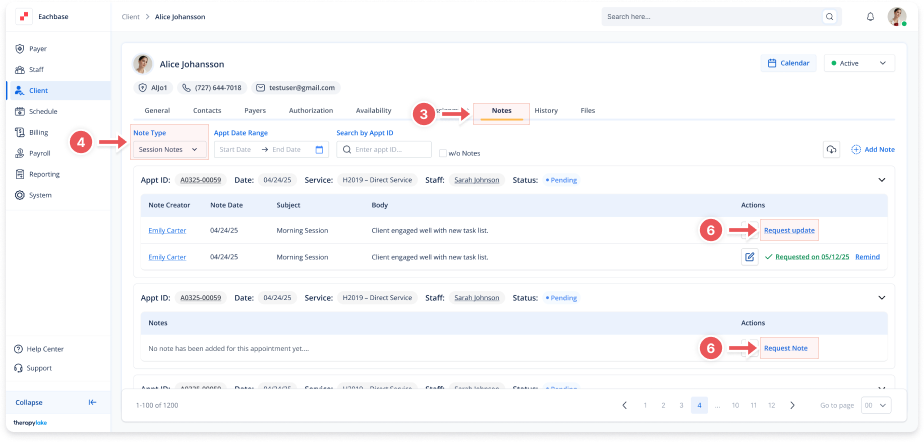
Requesting Notes
1. Access the Client Section
-
Go to the > Client section in the left panel.
2. Select the Client
-
Choose the client whose session notes are missing.
3. Navigate to the Notes Tab
-
Click on the Notes tab at the top of the client's page.
4. Select the Note Type
-
Set the Note Type dropdown to Session Notes
5. Find Notes That Need Attention
-
For each appointment, you can see if a note is missing or requires an update.
6. Request or Update the Note
-
Click Request Note to ask for a new note if it's missing, or click Request Update to ask the staff to revise or complete an existing note.