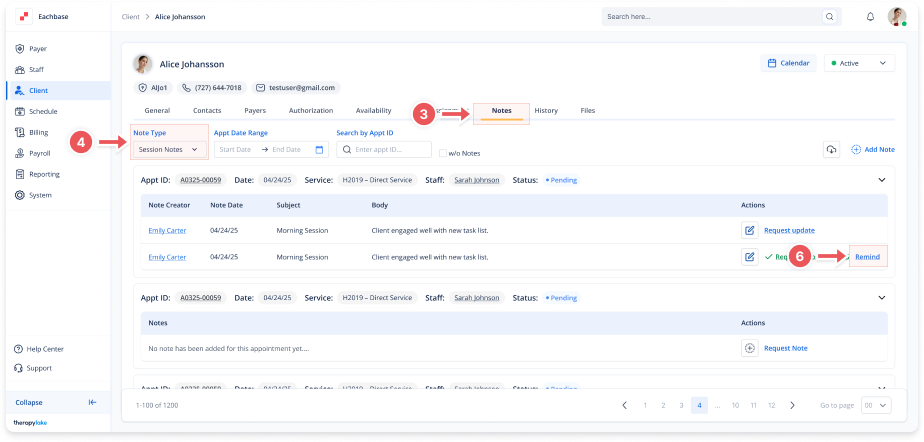
Reminding for Missing Notes
1. Access the Client Section
-
Go to the > Client section in the left panel.
2. Select the Client
-
Choose the client whose session notes require follow-up.
3. Navigate to the Notes Tab
-
Click on the Notes tab at the top of the client's page.
4. Select the Note Type
-
Make sure the Note Type dropdown is set to Session Notes.
5. Locate the Appointment
-
Find the appointment where a note request was already sent, but no note has been added yet.
6. Send a Reminder
-
In the Actions column, click Remind next to the previously requested note.
🔔Important Note
This action will resend a reminder to the staff user associated with the appointment, prompting them to complete the session note.